 Vibe
VibeScreenshot
Base64 JPEG at desktop, tablet or mobile. The model sees layout, spacing, colour, overflow and hierarchy for itself.
One MCP tool call returns a desktop, tablet or mobile screenshot, console & network diagnostics, and a token-optimized DOM snapshot preserving real IDs and Tailwind classes. Stop guessing selectors.
claude plugin marketplace add soumyachk101/VibeLens
Click the 4 signal tabs below or hit "SIMULATE MCP CAPTURE" to see how VibeLens diagnoses and verifies UI fixes on localhost in real time.
Hydration Mismatch: <button id="checkout-btn"> server render did not match client text.
POST http://localhost:3000/api/checkout/validate - 404 (Not Found)
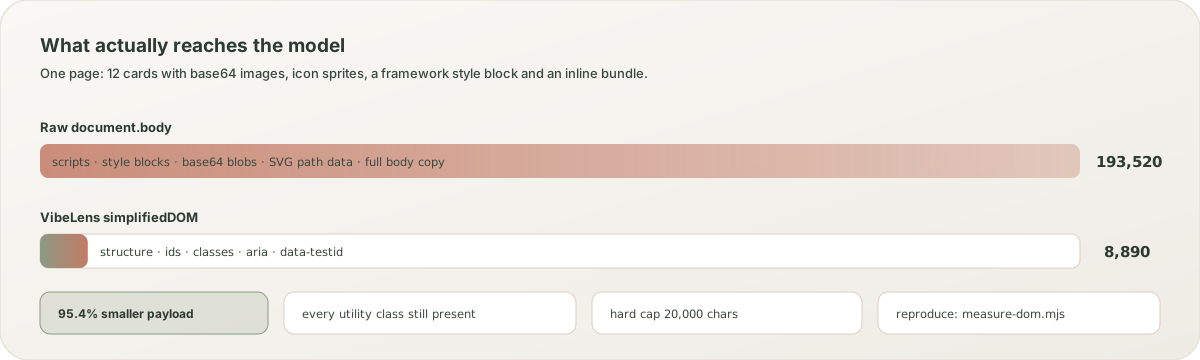
[DOM Budget] 193.5 KB raw HTML reduced to 8.8 KB clean tokens (95.4% saved).
<div class="checkout-card p-8 rounded-3xl bg-surface">
  <h3 class="font-serif text-xl">Shopping Cart Checkout</h3>
  <div class="cart-item flex justify-between">...</div>

  <!-- VibeLens pinpoints exact offending element -->
  <button id="checkout-btn" class="bg-terracotta w-full overflow-visible -mb-12">
    Complete Purchase Now ($66.00)
  </button>
</div>
"Based on VibeLens screenshot and simplified DOM evidence: #checkout-btn has -mb-12 causing card overflow. Removing negative margin and fixing 404 endpoint route in server.ts."
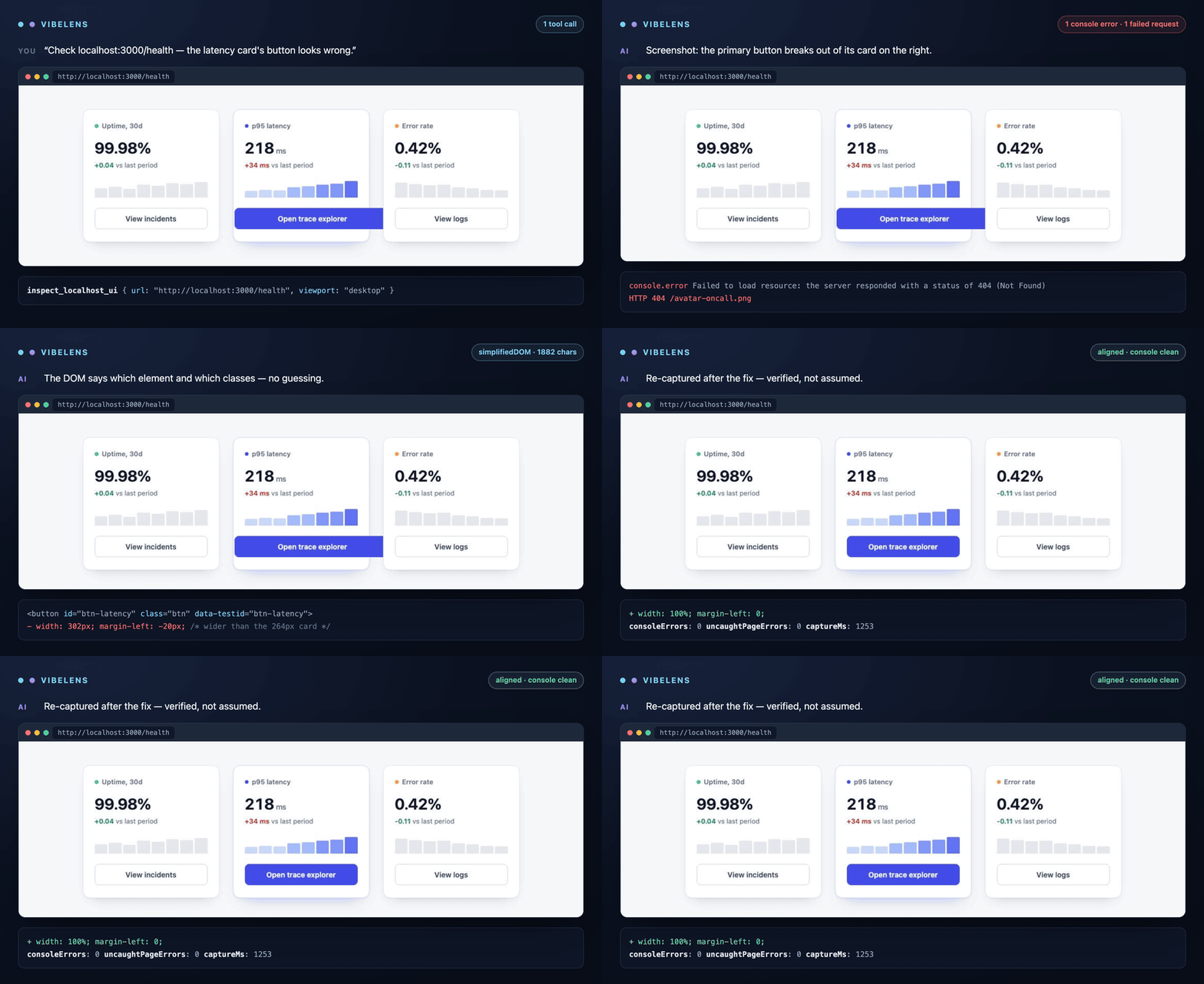
npm run assets:gif.A screenshot alone misses hydration errors. A DOM dump alone misses what the page looks like. VibeLens returns both, plus the diagnostics, in a single response.
Base64 JPEG at desktop, tablet or mobile. The model sees layout, spacing, colour, overflow and hierarchy for itself.
Console errors and warnings, uncaught exceptions, and requests that failed — including 4xx and 5xx responses a screenshot cannot show.
Structure, ids, classes, ARIA and test hooks. Scripts, styles, base64 blobs and SVG path data are stripped in the browser, before the payload is built.
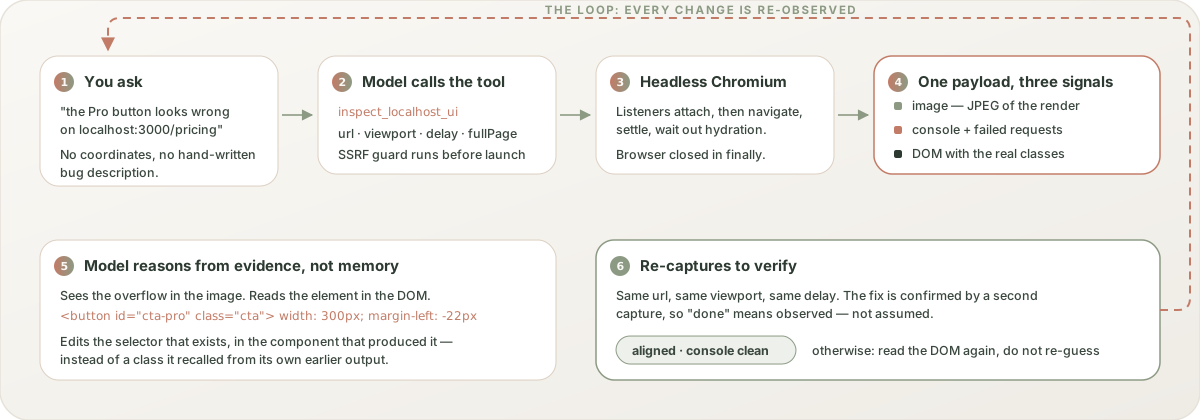
The raw tool gives the model eyes. The Claude Code plugin gives it a method — including a design-craft set aimed at the problem screenshots alone do not fix: UI that works and still looks like nobody designed it.
A raw document.body.outerHTML from a real app is mostly noise. The
sanitizer runs inside the page, so the noise never becomes tokens. This figure
is measured, and you can reproduce it with npm run assets:measure.
VibeLens drives a real browser on your machine, so every URL is checked against an allowlist before Chromium launches. Public hosts, DNS names, link-local addresses and cloud metadata endpoints are refused, and the tool is read-only: it observes a page, it cannot click, type or scroll.